Color Code Converter
Convert any color between HEX, RGB, HSL, CMYK, and OKLCH — instantly, with one-click copy for every format.
Colors you convert will appear here — saved in this browser only.
One color, every format
The rose pink of a macaron shell — here's the exact same color in all five formats this converter outputs.
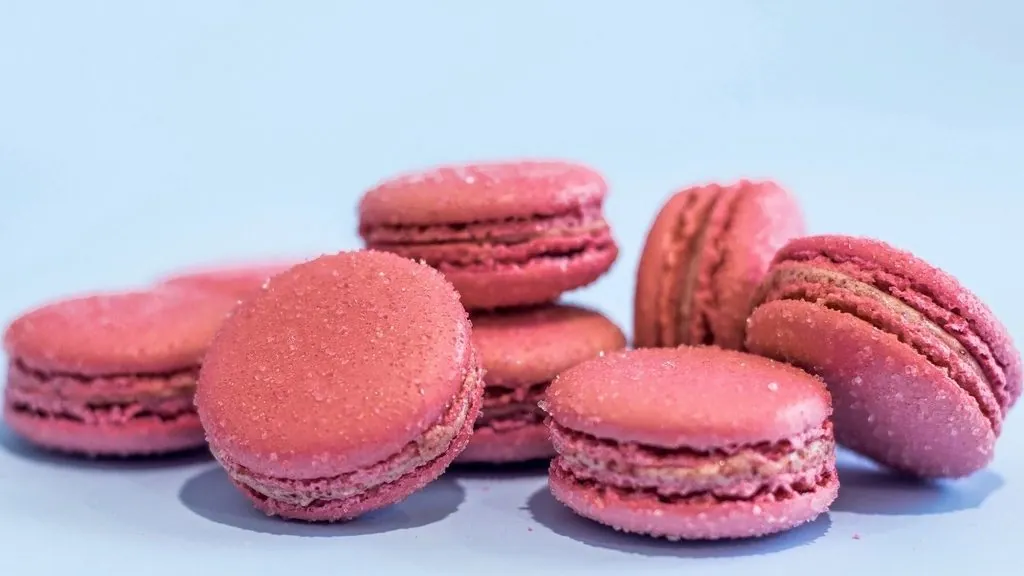
Macaron rose
#D17180rgb(209, 113, 128)hsl(351, 51%, 63%)cmyk(0%, 46%, 39%, 18%)oklch(66.1% 0.121 11.0)How each value is calculated and rounded
Every input is first turned into whole sRGB values from 0 to 255. The other four formats are calculated from those three numbers, so the RGB row is the reference for the rest.
- HEX — the same three RGB numbers written in base 16, always six uppercase digits.
- HSL — standard RGB-to-HSL math. Hue is rounded to a whole degree, so a hue just below 360° can display as 360; saturation and lightness to whole percentages.
- CMYK — a simple formula without a color profile: K = 1 − the largest RGB channel, and C, M, and Y come from the remaining channels. Each value is rounded to a whole percentage. No ICC profile, paper, or ink limit is applied.
- OKLCH — sRGB is linearized, converted to Björn Ottosson’s OKLab, and written as lightness (one decimal, as a percentage), chroma (three decimals), and hue (one decimal). When chroma is below 0.0002, as for pure grays, hue is shown as 0.
Paste this
#336699A web-safe blue with round RGB numbers
Expected output
#336699rgb(51, 102, 153)hsl(210, 50%, 40%)cmyk(67%, 33%, 0%, 40%)oklch(49.9% 0.099 250.4)Now paste hsl(240, 60%, 60%). The HEX row shows #5C5CD6, not the default #5B5BD6, even though the default color is displayed as hsl(240, 60%, 60%). The displayed HSL is rounded; converting it back lands on a slightly different RGB value. This is expected behavior, not an error.
What you can paste, and what the field rejects
The text field updates all five rows as you type. An input it cannot read gets a red outline, and the rows keep the last valid color.
- Accepted: three- or six-digit HEX with or without
#(5B5BD6, or#5BD, which expands to#55BBDD);rgb(91, 91, 214)with commas or spaces and whole numbers up to 255;hsl(240, 60%, 60%)with the percent signs. - Not accepted: four- or eight-digit HEX,
rgba()or any alpha value,hsl()without percent signs, percentages insidergb(), color names such asred, and CMYK or OKLCH input. CMYK and OKLCH are output-only here. - Recent colors: after you pause typing or picking for about a second, the color is saved in this browser’s local storage. The list keeps the last ten unique HEX values and is not uploaded. Clear removes it.
Why five color formats?
Every environment speaks a different color language. HEX rules the web and design handoffs, RGB is what screens actually emit, HSL is the easiest to reason about when you want "the same hue, a bit lighter", CMYK approximates ink for print work, and OKLCH is the modern CSS color space where equal steps finally look equal to the human eye. This converter keeps all five in sync from a single input, so you can grab whichever notation the job needs.
Which format should you actually use?
All five describe the same color — they differ in what they make easy.
- HEX — the default for CSS and design handoff. Compact, universally understood, but opaque to read: you can't tell what
#4D9FFFlooks like without seeing it. - RGB — what screens and JavaScript actually work with. Use it when you're doing math on colors in code (canvas, WebGL, image processing) or need
rgba()transparency. - HSL — the easiest to tweak by hand: want it darker, drop the L. Its trap: equal lightness values do not look equally light — HSL yellow at 50% is far brighter than HSL blue at 50%.
- CMYK — a print approximation. Useful for sanity-checking whether a screen color will survive on paper, but real print conversion depends on the printer's ICC profile, not a formula.
- OKLCH — the modern pick for design systems. Perceptually uniform, so shifting hue or lightness behaves predictably, and it's now native in CSS. If you're building tokens today, store OKLCH.
Small print of color conversion
Three things that surprise people the first time they convert colors seriously.
- Round-trips drift. Colors live in 8-bit steps (0–255), but HSL and OKLCH need decimals. We converted about 636,000 RGB colors (every third value in each channel) to the whole-number HSL this tool displays, then back to RGB: 89% came back different, usually by one or two steps in at least one channel and at most by five. Always treat one format as the source of truth.
- CMYK is device-dependent. The values here use the standard formula-based conversion — fine for judgment calls, not a contract with a print shop.
- OKLCH can exceed the screen. Some lightness/chroma combinations describe colors your monitor can't show; they get clipped to the nearest displayable color. If two different OKLCH values render identically, you've left the sRGB gamut.
Related tools & guides
- Shades & Tints Generator — Expand the converted color into a full Tailwind-style 50–900 scale.
- Color Harmony Generator — Build matching schemes from the color you just converted.
- HEX vs RGB vs HSL vs OKLCH — Why HSL lies about lightness and why OKLCH is replacing it.
Frequently asked questions
What input formats are accepted?
HEX with or without the hash (#5B5BD6, 5B5BD6, or short #5BD), rgb(91, 91, 214), and hsl(240, 60%, 60%). You can also click the swatch and pick visually. Alpha values, rgba(), color names, and CMYK or OKLCH input are not accepted.
What is OKLCH and why should I care?
OKLCH is a color space designed to be close to perceptually uniform, and it is supported in modern CSS. Changing only its lightness gives steps that look much more even than HSL steps, which makes it useful for color scales. Note that this site’s Shades generator steps HSL lightness, not OKLCH; paste its steps here to compare their OKLCH lightness.
Is the CMYK value print-accurate?
It's the standard formula conversion, which is a good starting point — but real print color depends on the printer's ICC profile, paper, and inks. For critical brand work, always confirm with your print shop's profile.